Private Database Connection Timeout: Routing and Firewall Checks
Nov 13, 2026 • 9 min read
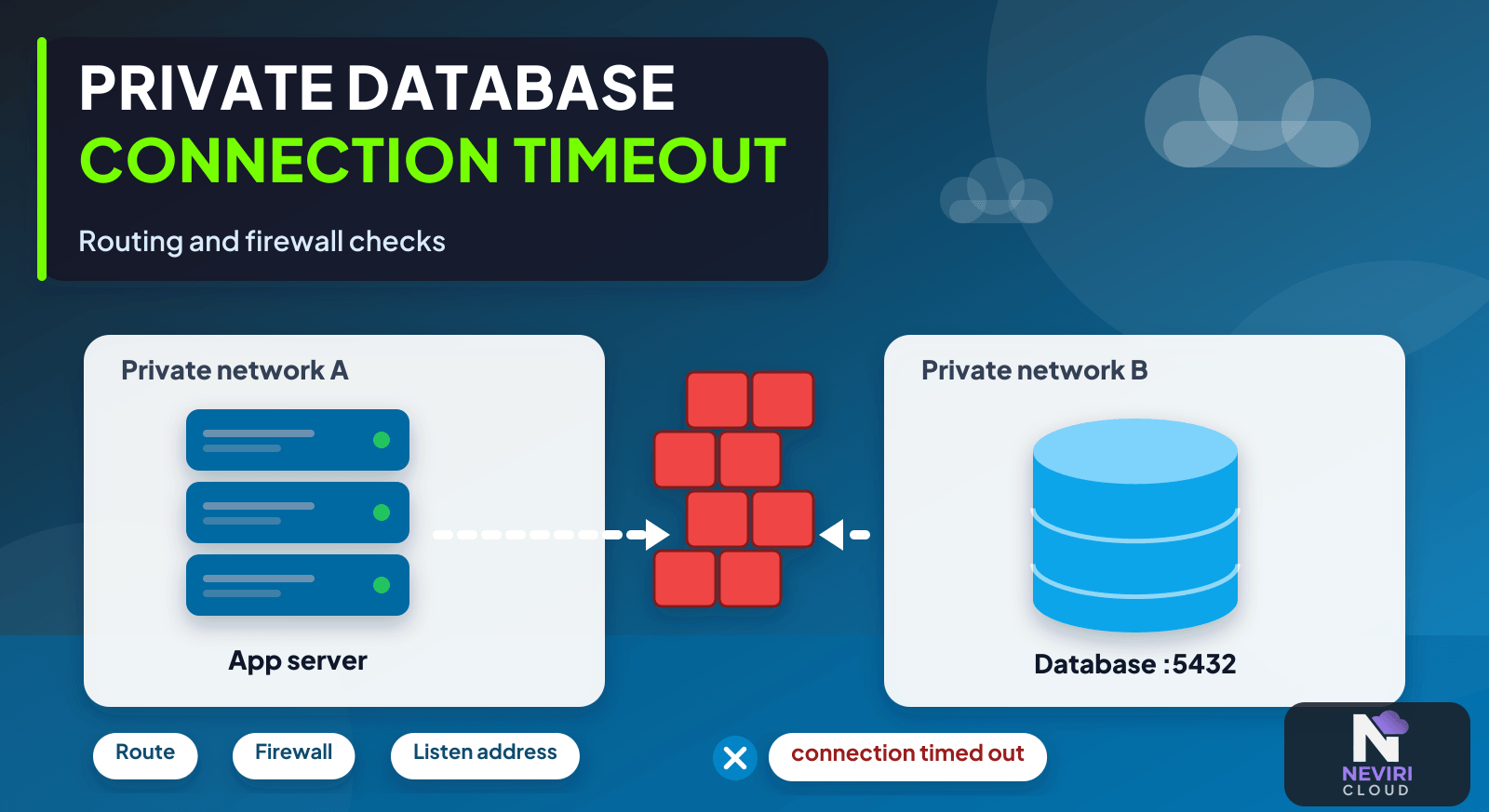
A private database connection times out, and opening the port to the internet starts to look like the quickest fix. Pause there. I’d follow the connection from your app’s network first: the hostname, route, destination port, and firewall rule. You want to find the missing piece without creating a larger exposure to clean up later.
Run the checks from the app’s actual environment: DNS, routes, firewall, listener, TLS, and login. A private address doesn’t tell you whether that path works. Keep access narrow as you investigate, so a timeout doesn’t turn into an unnecessarily public database while you’re trying to get the connection working.
Follow the connection from the app
- Resolve the database hostname from your app runtime and compare the result with the intended endpoint.
- Check subnet routes and the relevant provider and host firewall rules for the actual source and destination.
- Test transport reachability before diagnosing TLS certificates and database authentication errors.
- Remove temporary exceptions and verify both an allowed client and a source that should be denied.
What each connection check can tell you
| Approach | Choose it when | Verification or tradeoff |
|---|---|---|
| Private endpoint | Application and database have a supported private route | Still require authentication and appropriate TLS. |
| Controlled public endpoint | Private connectivity is unavailable and policy permits it | Restrict sources and verify encryption. |
| Tunnel or VPN | The network design requires an intermediate path | Test routing, availability, and operational ownership. |
How do you trace the entire connection path?
Troubleshoot from your app host or container that actually makes the connection. A successful laptop test proves a different route and may use different DNS, credentials, and source addresses. Record the destination hostname, resolved address, intended port, and the network identity of the actual client.
Separate name resolution, routing, transport reachability, TLS negotiation, and application authentication. A timeout suggests a different investigation from an immediate refusal or a database authentication error. Fix the layer supported by the observed error rather than changing several firewall and credential settings simultaneously.
Check both provider-level controls and the operating system's own firewall where applicable. Security groups, network ACLs, and host firewalls can have different rule semantics. Do not transfer one provider's allow/deny model or default behaviour to another without checking its documentation and the effective rules.
A private address restricts a routing scope; it does not by itself authenticate a client or encrypt traffic. Use database authentication and TLS as appropriate, keep administrative access narrow, and avoid opening the database to the whole internet merely to make a diagnostic test pass.
Verify the final state from both an allowed source and a source that should be denied. Confirm your app still reaches the intended endpoint after the temporary diagnostic changes are removed. This makes connectivity and access restriction part of the same acceptance test.
How do you distinguish a route problem from a database login problem?
Capture the exact failure from the actual application runtime. A hostname resolving to the wrong address, a transport timeout, a refused connection, and an authentication rejection are different observations. Keep the error category and destination identity, but redact secrets from the diagnostic record.
Start with the destination your app intends to use. A connection string copied from a local development environment can point to a loopback address or a hostname that resolves differently inside a private network. Confirm the resolved address before changing a firewall. A perfectly configured rule for the wrong destination will not make the intended database reachable.
Then establish whether a transport connection can be attempted through the intended path. A successful network test does not prove the database account has the right privileges, but it narrows the investigation. Once transport works, investigate TLS negotiation and the database's own authentication and authorization results.
| Observation | First boundary to inspect | Avoid this premature change |
|---|---|---|
| Name cannot be resolved | Runtime DNS configuration and the endpoint name | Opening public inbound ports |
| Connection times out | Routes, filtering, destination reachability, and relevant network controls | Rotating a working password without evidence |
| Connection is refused | The listener, address, service state, and destination port | Assuming all timeouts and refusals have the same cause |
| TLS negotiation fails | Certificate identity, trust, protocol settings, and the selected endpoint | Disabling verification as the permanent fix |
| Authentication fails | The intended user, credential, and database authentication policy | Broadening network access to unrelated sources |
| Login succeeds but a query is denied | Database privileges and the selected database or schema | Testing only with an administrator and declaring completion |
What should the network diagram specify?
Draw the path from application runtime to database endpoint. Name the source subnet or supported identity, the route, the destination network, the service port, and each independently enforced filter. If a tunnel or gateway is part of the path, include who operates it and how its availability is checked.
Do not assume that a private address is reachable simply because both services are described as private. Separate isolated networks can use overlapping address ranges or lack a route between them. The topology must establish a supported path, not merely two endpoints with addresses that are not public.
If the database can only be reached through a VPN or another intermediary, test from the runtime using that arrangement. A developer connecting successfully while their laptop has an active VPN does not prove a deployed application has the same path. Keep diagnostic evidence tied to the source that will actually make production requests.
The database listener matters too. A service bound only to its own loopback interface will not become reachable from your app merely because a cloud firewall allows its port. Conversely, a broad listener should not be mistaken for permission to expose that port to the internet.
How do you test access restrictions after connectivity works?
Use two deliberate test positions: one source that should be allowed and one that should not. Verify that the approved application path succeeds with the intended credentials. Then verify that the excluded path cannot reach or use the service under the policy being tested. Distinguish a network denial from a database permission denial in the record.
Remove temporary troubleshooting rules before completing the check. A broad exception can conceal a missing narrow rule and make the final diagram inaccurate. Record the effective source and destination after cleanup, not the policy that was intended before troubleshooting began.
If administrative recovery depends on a separate path, verify it without making it a general-purpose bypass. Keep its authorized identities, source locations, and operating procedure explicit. A recovery path with no accountable owner can become an unmanaged alternate route into production data.
Which settings need an application-level check?
Confirm your app selects the intended database, not merely a reachable database server. An endpoint can accept a connection while the connection string names the wrong database, schema, or account. Run a realistic authorized query that identifies the expected environment without printing sensitive records.
Check connection lifetime and timeout behaviour against the selected network arrangement. A short successful login does not establish that a long-running request or an idle pooled connection behaves as intended. Test the failure your app must recover from, and inspect whether a reconnect creates a bounded retry or an uncontrolled connection surge.
Provider firewalls differ in state tracking, source identity support, and rule evaluation. Use the primary security-group documentation for the specific AWS example, and the applicable provider controls for the actual deployment. The successful result is a working authorized application path with the unwanted paths still restricted.
How should private connectivity affect TLS verification?
Use the intended endpoint identity and supported trust configuration even when the traffic uses private addresses. Private routing does not establish that the process at the destination is the correct database or that the connection is encrypted.
When a certificate-related error appears, inspect the selected endpoint, trust material, and client settings. Do not make disabled verification the permanent fix merely because it allows a connection to complete. Re-test the final configured path using the same runtime and application identity that will make ordinary requests, and retain only a safe description of the error in logs.
Keep a record of which identity performed each connection test. A network success using a different account cannot establish your app account’s permissions.
A temporary exception can become a permanent exposure
An application container and a developer laptop can take different routes to the same hostname. Keep a small connection record containing the intended private destination, runtime source network, database port, TLS mode, and credential identity. Do not record the password or full secret-bearing connection string in diagnostic output.
Questions you might have
Does a private IP make the connection secure?
A private address does not by itself encrypt traffic or authenticate a client. It identifies an address within a routing scope. Retain appropriate database credentials, TLS, and narrow access controls, and verify that only intended application sources can reach the service after diagnostic rules are removed.
What does a connection timeout usually tell me?
A timeout identifies a failed attempt, not its precise cause. Investigate resolution, routing, filtering, listener availability, and network conditions from the runtime that made the request. An immediate refusal or authentication error points to a different layer, so preserve the actual error before changing multiple settings.
Should I open the database port to everyone for testing?
Do not make broad public exposure the normal diagnostic method. Test from an approved source with a narrow temporary rule when necessary, document the change, and remove it afterward. A successful public connection does not prove that the private route or intended production access policy works.
Keep reading
Deploy a Next.js Application on Neviri; Container Health Check on the Wrong Port: Diagnose Failed Deployments; A Production Readiness Checklist for Your First SaaS Application; PostgreSQL Connection Pooling: Prevent Connection Exhaustion; Secure SSH Access to Cloud Servers Without Losing Recovery.
Close the investigation as well as the connection
Keep the change as small as the fault you found. Once your app connects, try a client that should still be denied and remove any temporary rule you used while investigating. A working connection and a sensible access boundary belong in the same result.
Sources and further reading
AWS security-group documentation describes stateful traffic controls; those provider-specific semantics must not be assumed to apply unchanged to every firewall. AWS documentation.
amazon web services - Connect on-prem SQL Server database to AWS Glue using JDBC - Stack Overflow describes a related situation: A developer reports a private-database connection timeout despite security-group changes; the route and reachability problem is distinct from credentials.